The product, in pictures.
Log hours, send the report. Real screenshots of Timero, no mock-ups. The pricing page shows which plan has what.
Stop reconstructing your day from memory.
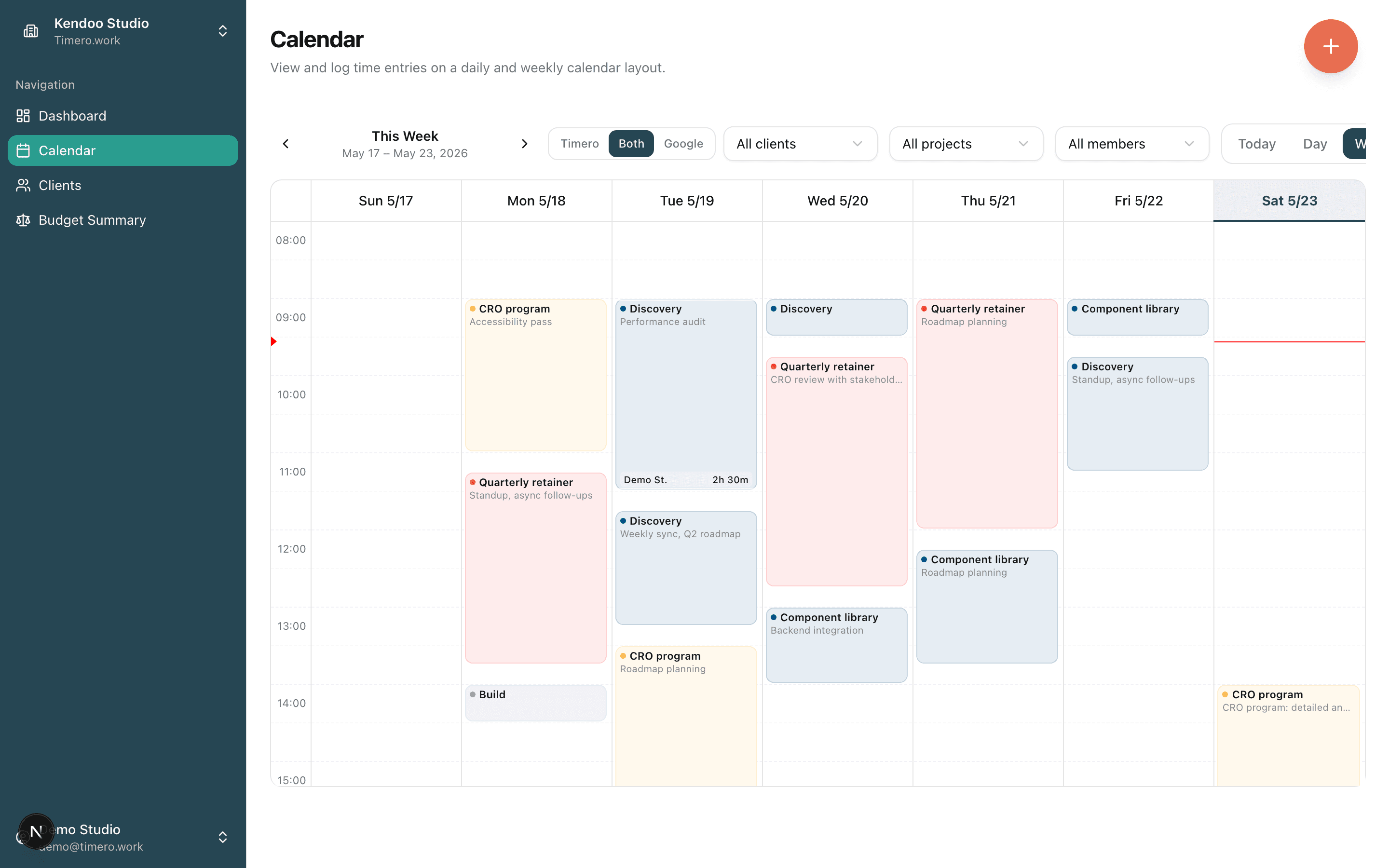
The calendar is the product. Drag empty space to log time. Click an entry to edit. Your week shows up as you actually worked it: billable blocks ready to ship to an invoice.
- Week, day, and month views
- Drag to log, click to edit
- Project-color stripes on every entry
- Right-click any Google Calendar event to log it in one click
One tap starts the clock. Get back to work.
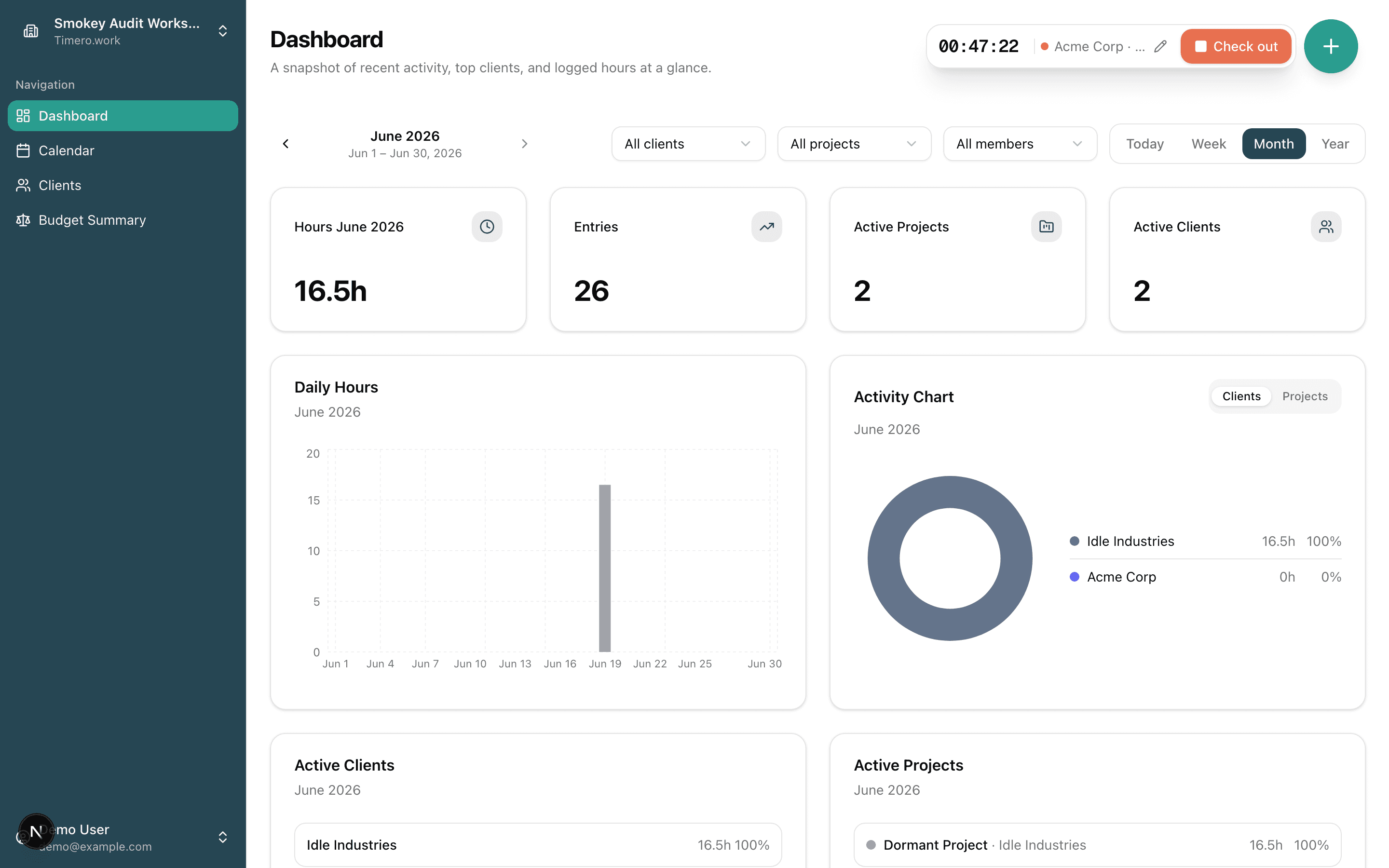
Check in from the + menu and a live timer runs in the corner, on desktop and mobile. Pick the project now or while the clock ticks. Check out and the session lands as a normal entry: on your calendar, in your reports, counted against the right budget. No stopwatch app, no copy-paste, no second tool.
- One tap to check in. The timer keeps running even if you close the tab.
- Set the project and a note while the clock runs, or let it auto-pick when there's only one.
- Set the start time back if you began before checking in. It can't go into the future.
- Check out and it becomes a real entry: calendar, reports, and budgets all count it.
Every client's report, exported in one click.
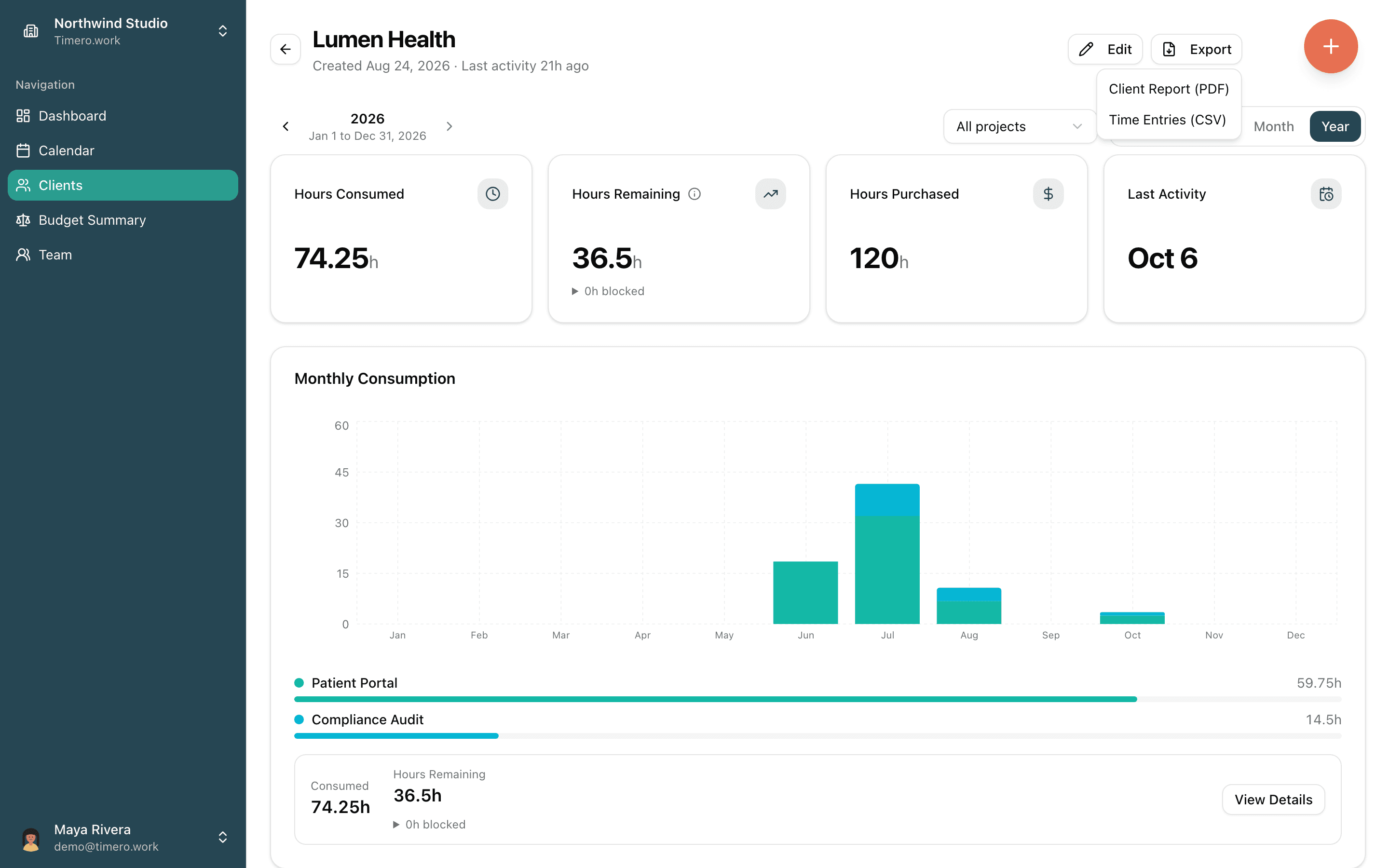
Open a client, pick the month or the year, and hit Export. The client report PDF is laid out for invoicing, not a generic spreadsheet dump. The CSV has every entry for your own sheets.
- Export from the client page, for the period on screen
- Narrow it to one project before exporting
- Client report PDF on Pro and Agency, CSV on every plan
- Add the budget history to the PDF when the client asks where the hours went
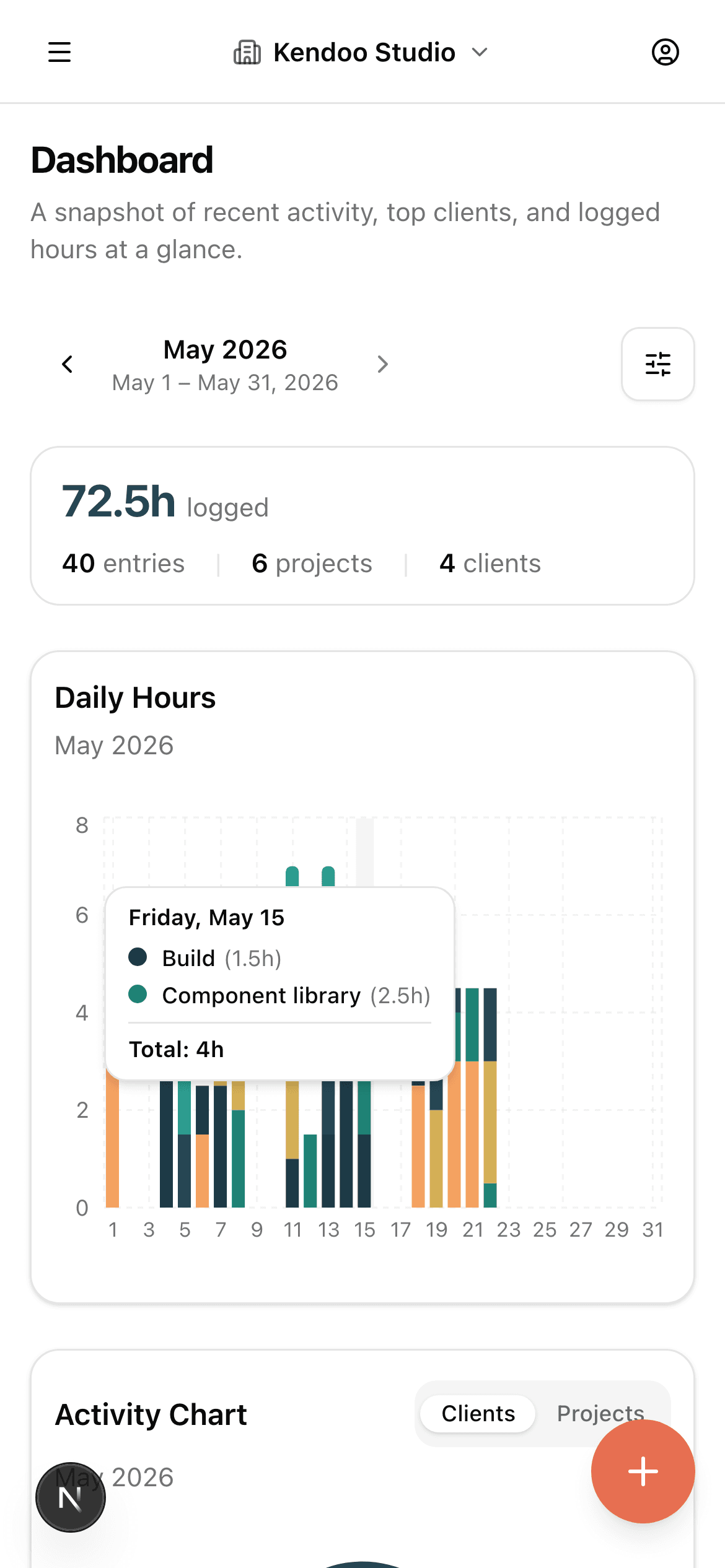
See the month at a glance, not in five reports.
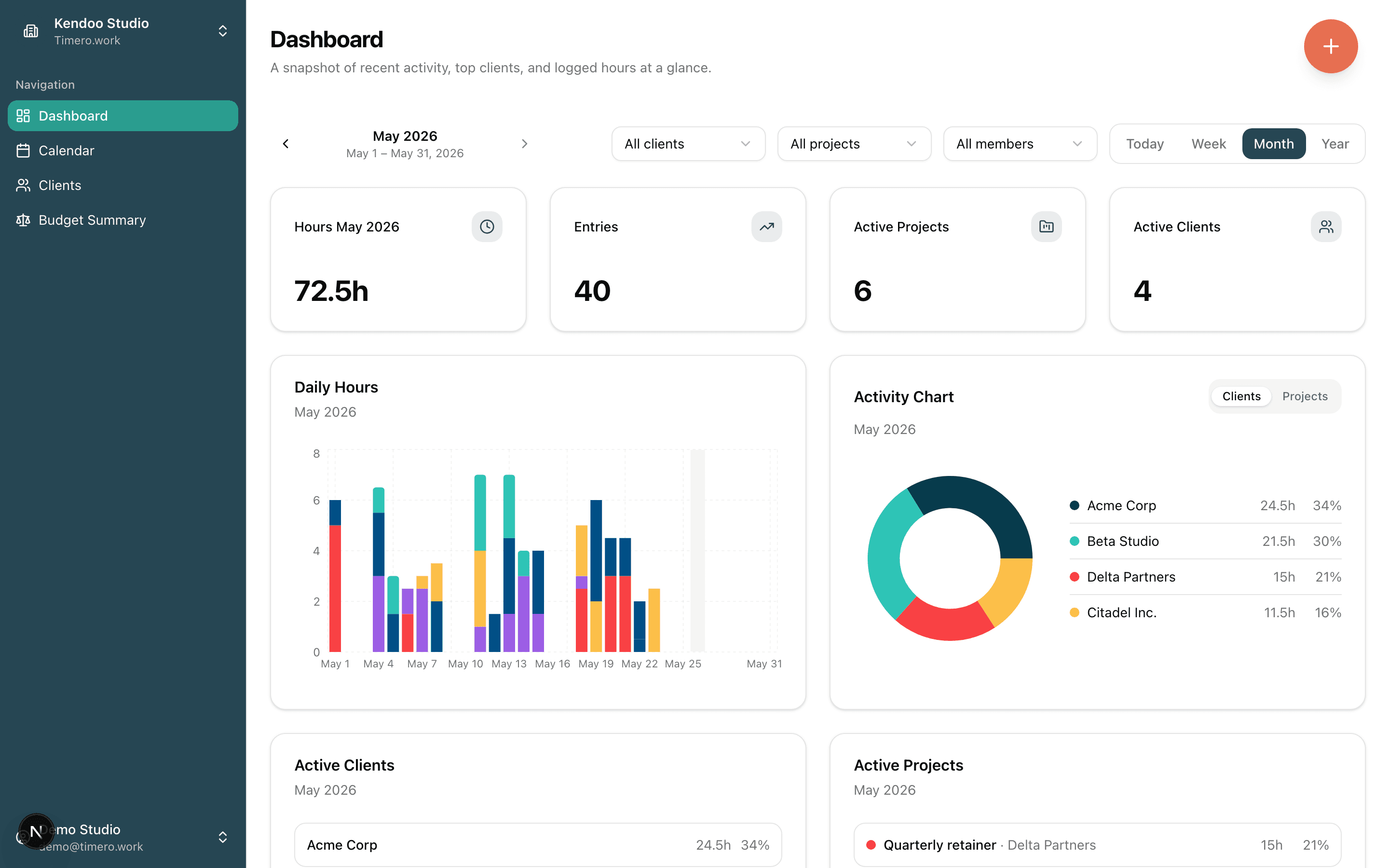
KPIs that update with every save. A daily-hours chart so you can spot the dip on Tuesday. A client breakdown that flags who's about to go over budget. All on one screen, before you've poured your second coffee.
- KPI tiles for hours, entries, active projects and clients
- Daily-hours bar chart per period
- Activity chart split by client or by project
- Top clients with consumption bars
Track time wherever you actually work.
The mobile view is the same product, sized for your hand. Drag to log time, tap entries to edit, see your daily hours chart the way you do on desktop. The Google Calendar layer is there too.
- Drag-to-log on the calendar view
- Tap an entry to edit, long-press for context actions
- Daily hours chart same as desktop
- FAB shortcut for the quickest possible logging
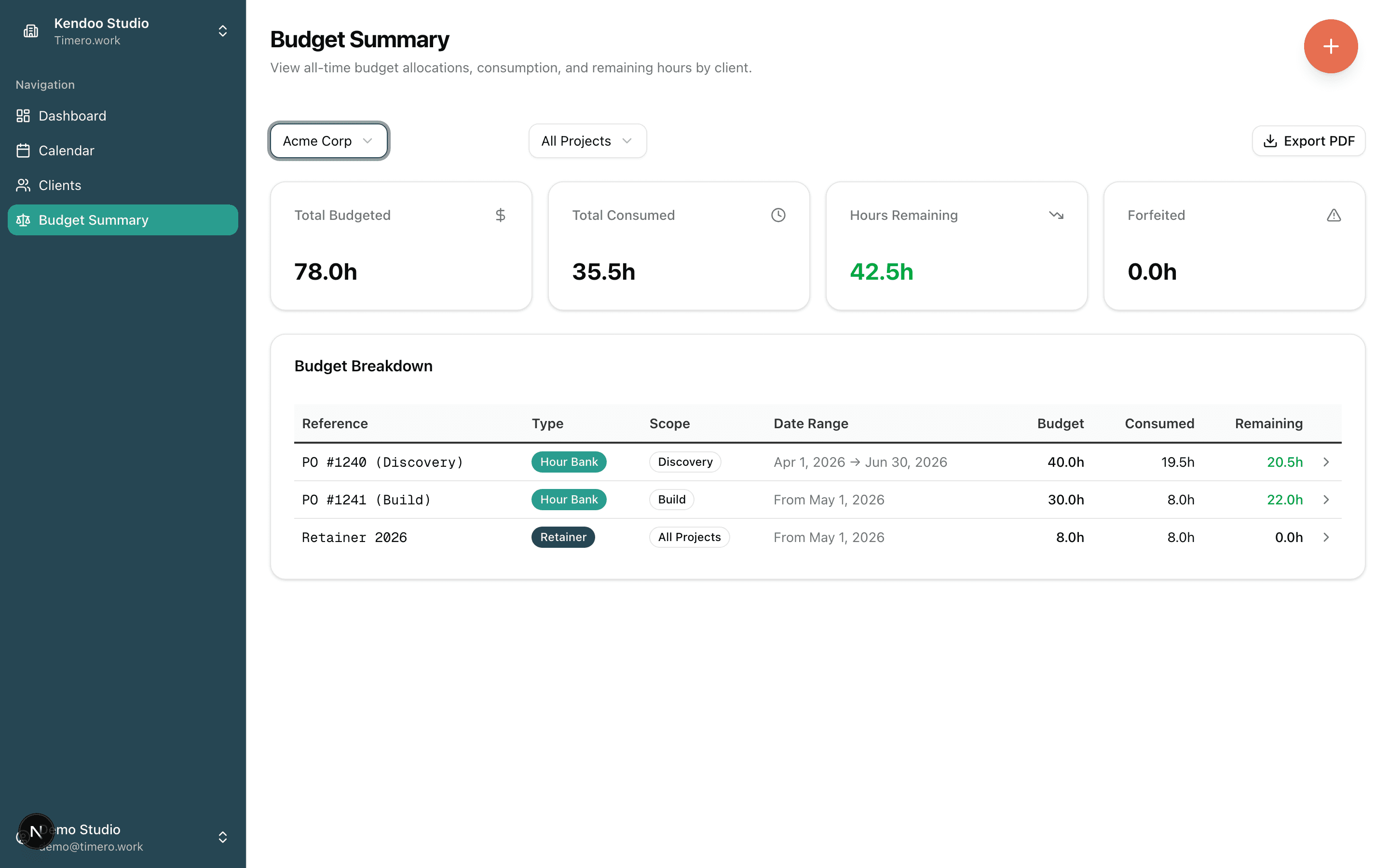
One client, many budgets, each scoped to its own project.
Some clients pay for a block of hours or a monthly retainer. Add it to the client and the hours you already log are counted against it: the month's retainer first, then the oldest hour bank. Hours no budget covers show as due hours, and you decide what happens to them.
- Multiple budgets per client. Hour-Bank, Retainer, or both, mixed.
- Scope to all client work or to the projects you pick.
- Effective date and expiry per budget. Payment reference (PO, invoice ID) per budget.
- Live over-budget warning at save time on Pro. No nightly batch. No surprise on the invoice.
Tell your assistant to log the time. It just does it.
Timero speaks the Model Context Protocol, so Claude, ChatGPT, Cursor and other assistants can work in your workspace directly. Say "log two hours on Acme's website for yesterday" and the entry is there. Ask what is left on a retainer and you get the number.
Claude and ChatGPT connectors come with Pro and Agency. API keys, for Claude Code, Cursor and other tools, come with Agency.
- Log, edit and delete time entries
- Start and stop the live timer
- Create and organise clients and projects
- Add budgets, check what is left, mark one paid
- Ask what a client owes in due hours
- Pull reports, month-by-month charges and CSV
Ready to track time you can actually bill?
Start on the free plan, no card. Paid plans have a 14-day trial. EU-hosted.