Client report
Client Report
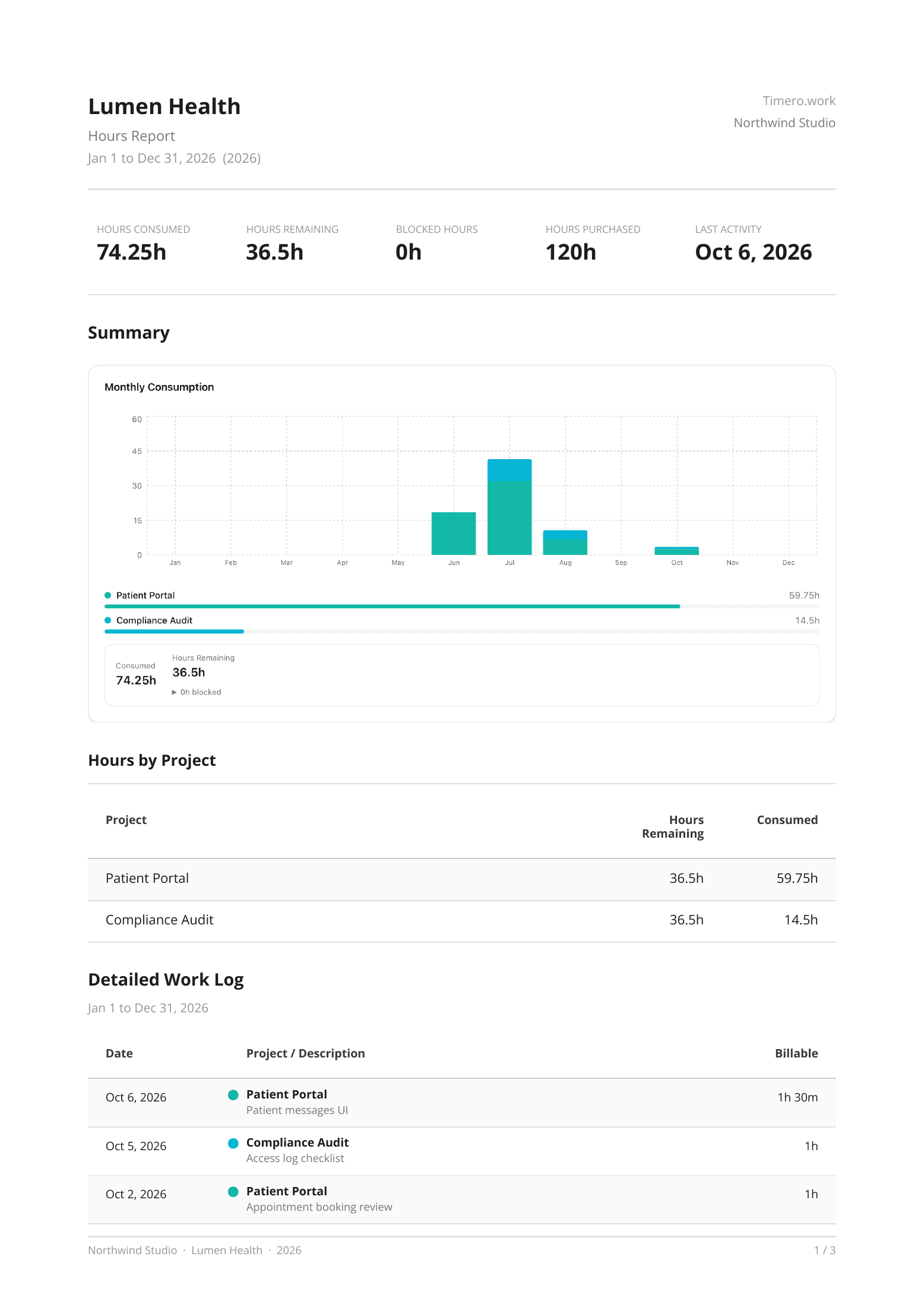
Hours consumed, remaining and purchased, a month-by-month chart, hours by project and the full work log. One click from the client page.
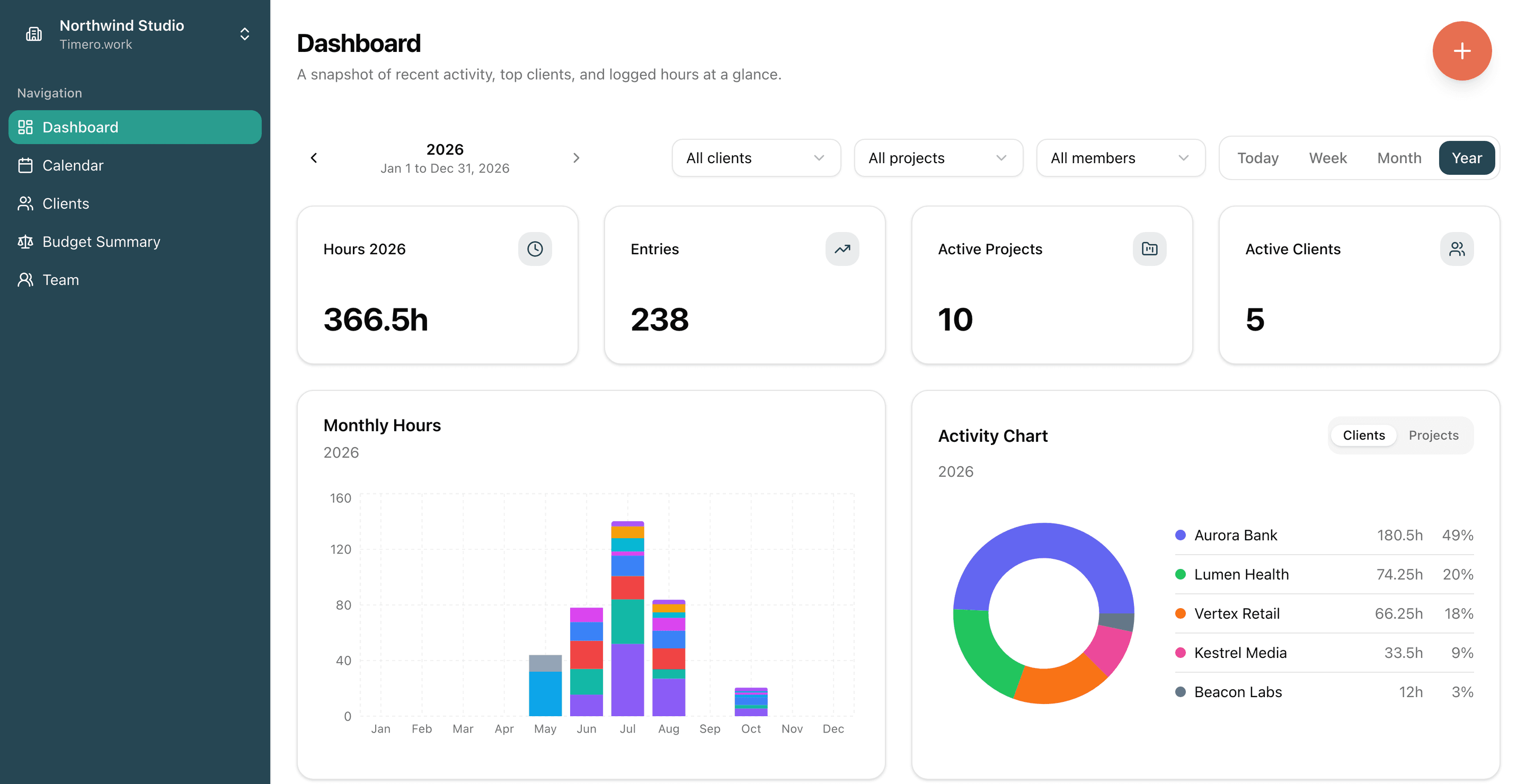
Log time on a calendar or with a live timer, pull in your Google Calendar, and see hours by client, project and person. Send each client a clear report of the work, as a PDF or CSV.
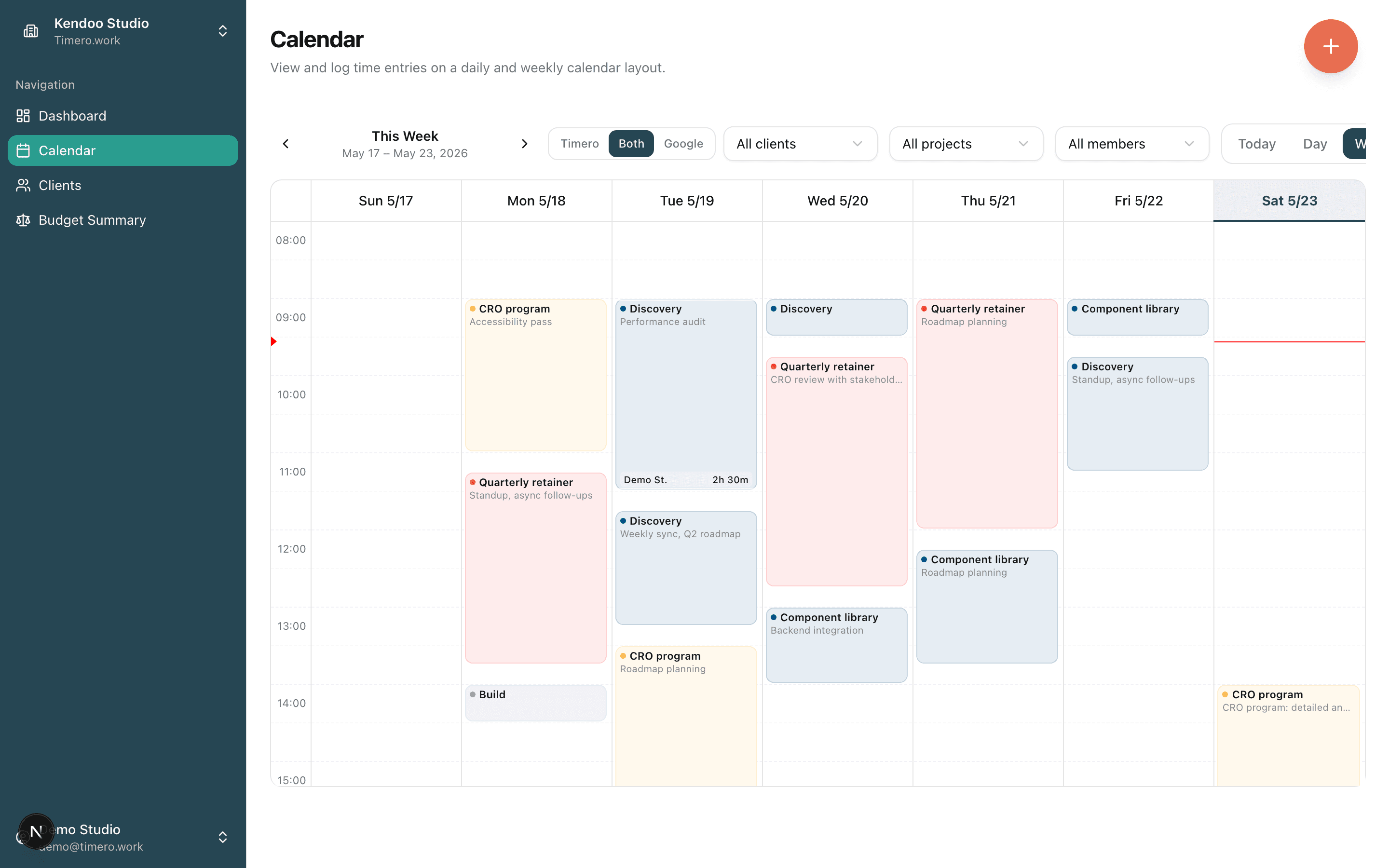
Drag across the hours you worked, or pull your Google Calendar meetings in with one click.
Check in, pick the client and project, check out. The timer writes the entry for you.
Open a client, pick the month or the year, and export a PDF or CSV with every entry in it.
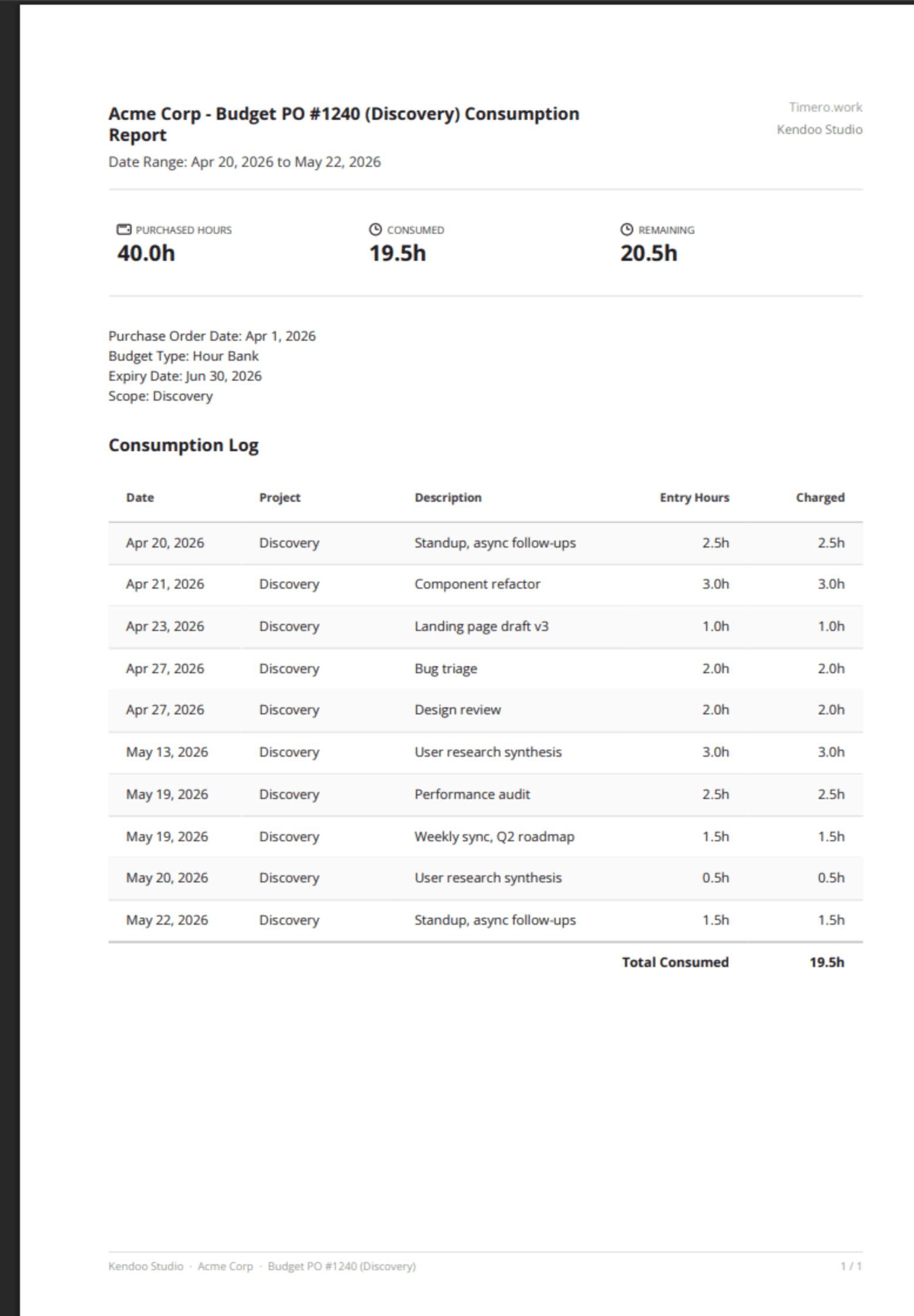
Not screenshots of a report screen. The actual PDFs Timero generates, formatted for invoicing and budget reviews. Two examples below, captured from a real export.
Hours consumed, remaining and purchased, a month-by-month chart, hours by project and the full work log. One click from the client page.
One budget: hours purchased, charged and left, and every entry charged to it.
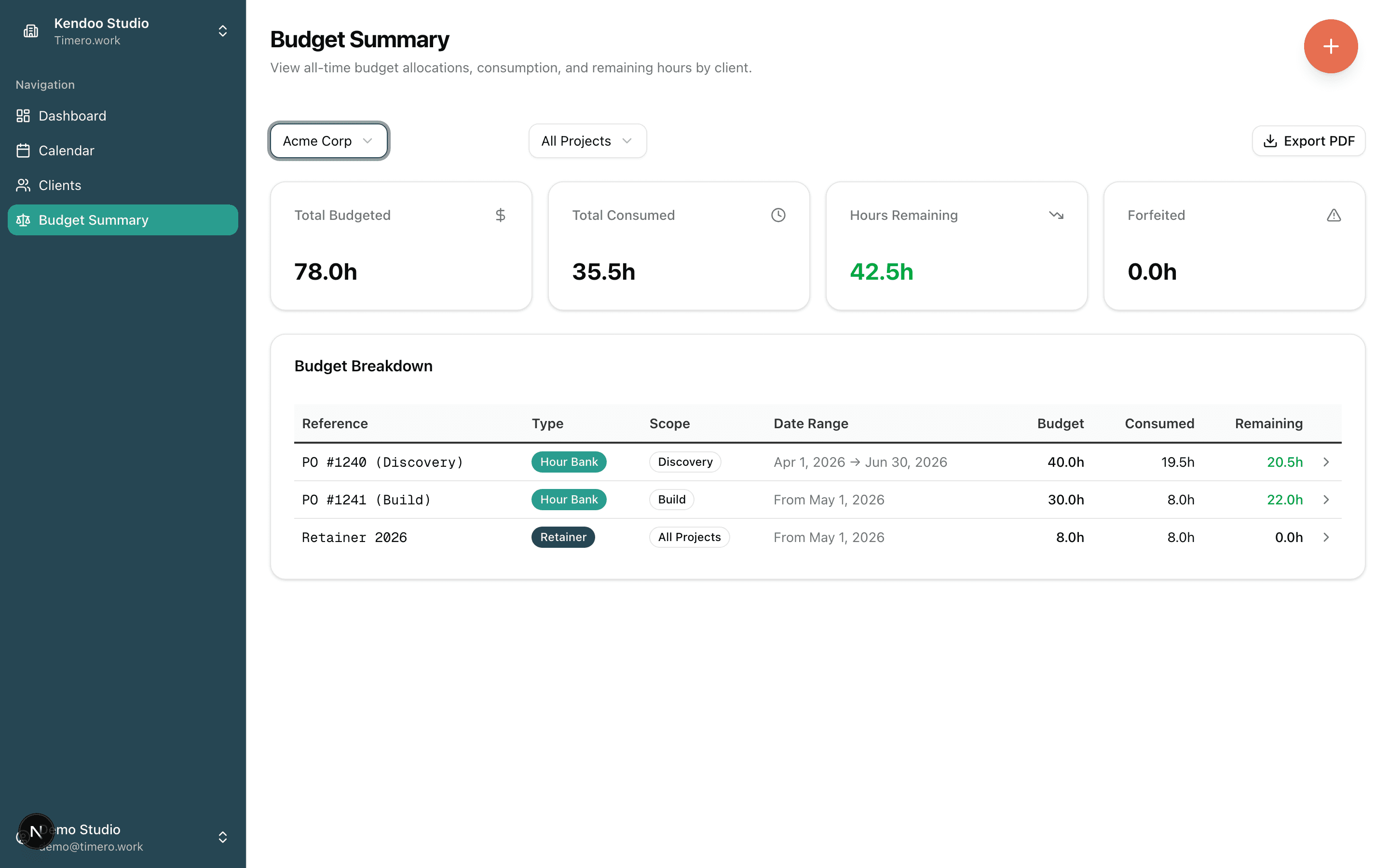
Drag across the hours to log them, click an entry to edit it, and pull Google Calendar meetings in with one click. Or check in and let the timer write the entry.
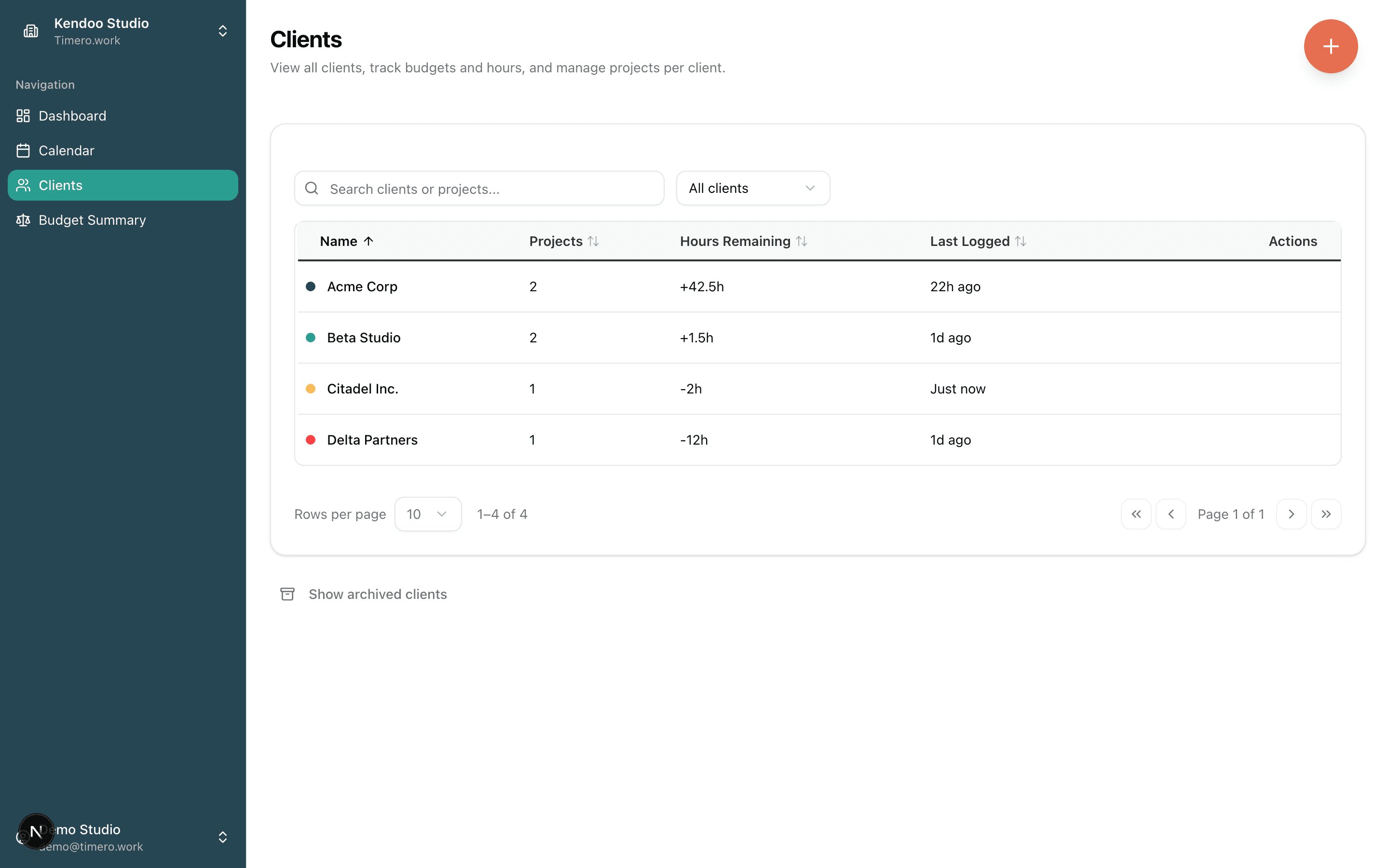
A searchable table of every client, with project count, last logged time and, if they buy hours up front, how many are left.
Drag to log. Tap to edit. Not a stripped-down read-only list.
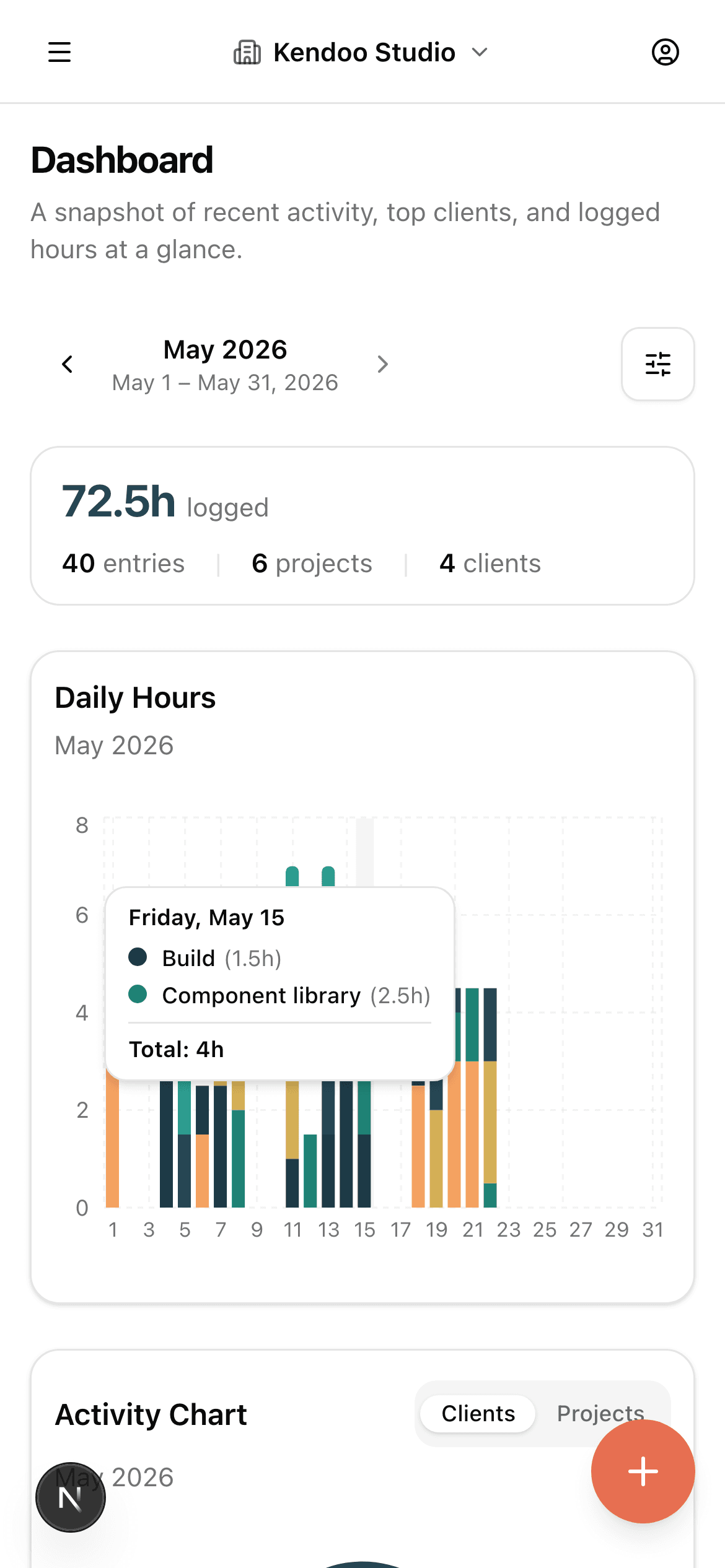
Some clients pay for a block of hours or a monthly retainer. Add it to the client and the hours you log are counted against it, so you know what is left before you send the invoice. Clients who pay as they go need nothing extra.
I run a consulting company. Twice, a month closed with a client retainer quietly overspent, and we swallowed the difference. The hours were logged; nobody saw the total until invoicing. I built Timero so that cannot happen to my team again: every budget is visible, live, the moment anyone logs time.
Timero is young, and I treat that as your advantage. When you write to support, the person who answers is the person who built it. If it is not for you, export your data and leave anytime. But if you bill on retainers, I believe it pays for itself the first time it catches a budget going over.
Drag on the calendar, or check in and check out. Client and project pre-filled from history.
Clone Google Calendar meetings in one click instead of typing them again.
Hours by client, project and person, exported as a PDF your client can read or a CSV for your own sheets.
Workspaces, per-member access, rounding and budgets, built in and covered by 1,200+ tests.
New workspaces start on the free plan: track time and pull reports for nothing, with no card and no trial to run out. Paid plans add budgets and start at €8 per seat a month, with a 14-day trial. Cancel anytime, and export your data whenever you want. Workspaces created before we introduced paid plans stay free.
See pricingStart on the free plan, no card. Paid plans have a 14-day trial. EU-hosted.